
Loading page
by devbyibrahim
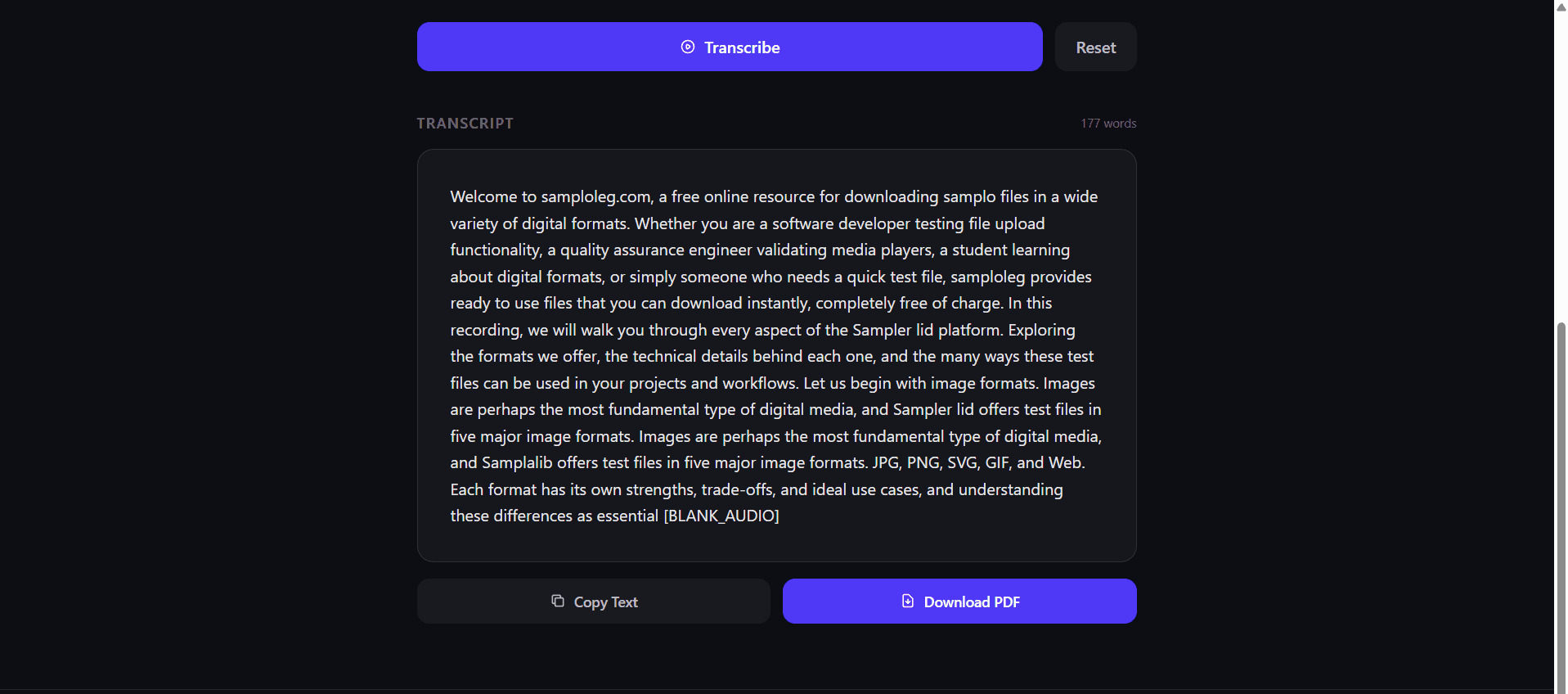
Chain package: frontend (Audio Transcriber - Frontend) + backend (Audio Transcriber - Backend)
A fully client-side audio transcription app built with Vite + React + TypeScript. It runs OpenAI's Whisper model entirely in the browser via @xenova/transformers — no server, no API keys, no data leaves your device.
Xenova/whisper-tiny.en (runs 100% in-browser via WebAssembly)npm install
npm run dev
Open http://localhost:5173 in your browser.
npm run build
Output is written to dist/.
| Layer | Technology |
|---|---|
| Framework | React 18 + TypeScript |
| Bundler | Vite |
| Styles | Tailwind CSS v4 |
| ML Runtime | @xenova/transformers (ONNX / WASM) |
| Model | Xenova/whisper-tiny.en |
src/
├── App.tsx              # Root component and UI
├── useTranscriber.ts    # Custom hook — model loading, audio decoding, transcription state
├── api/
│   └── transcriptApi.ts # Optional backend upload helper (PDF round-trip)
└── main.tsx             # Entry point
User selects file
      │
      ▼
useTranscriber (hook)
      │
      ├─ getPipeline()               — lazy-loads Whisper via @xenova/transformers
      │                                (cached in memory + browser cache after first load)
      │
      ├─ decodeAudioFileTo16kMono()
      │    ├─ Web Audio API → decodeAudioData()
      │    ├─ downmixToMono()        — averages all channels into one
      │    └─ resampleLinear()       — resamples to 16 kHz (Whisper's required rate)
      │
      └─ pipeline(audio)             — runs ONNX model in a Web Worker via WASM
            │
            ▼
        transcript string → rendered in App.tsx
Spin up an isolated sandbox and run it server-side — no local setup.
Push this product straight into your AI IDE, web builder or cloud IDE.
Connect Tetrees to a compatible AI IDE, list products you own, and request the verified ZIP without exposing seller upload controls.
No reviews yet.
Sign in to join the discussion
Loading discussion…
| Decision | Reason |
|---|---|
| All processing in-browser | No server cost, full privacy |
whisper-tiny.en model | Best balance of size (~40 MB) and speed for English audio |
| Linear resampling | Sufficient quality for speech; avoids heavy DSP dependencies |
Job-ID guard (jobIdRef) | Prevents stale async results from overwriting newer transcriptions |
withTimeout() wrapper | Prevents the UI from hanging indefinitely on slow/broken audio |
| Shared pipeline promise | Concurrent transcribe() calls share one download — never duplicated |
useTranscriber() — src/useTranscriber.tsThe primary hook that manages the full transcription lifecycle. The Whisper model is loaded lazily on the first transcribe() call and reused for all subsequent calls.
Returns TranscriberState:
| Field | Type | Description |
|---|---|---|
status | TranscriberStatus | Current lifecycle stage (see below) |
progress | number | Download/processing progress, 0–100 |
progressLabel | string | Human-readable status message for display |
transcript | string | The transcribed text (non-empty when status === "done") |
error | string | null | Friendly error message (non-null when status === "error") |
transcribe | (file: File) => Promise<void> | Start transcribing the given audio file |
reset | () => void | Clear all state and return to "idle" |
TranscriberStatus values:
| Value | Meaning |
|---|---|
"idle" | Ready to accept a file |
"loading-model" | Whisper model is being downloaded / initialised |
"transcribing" | Audio is being decoded and fed through the model |
"done" | Transcription completed successfully |
"error" | An error occurred; inspect error for details |
ModelProgressEvent interface (internal — emitted by @xenova/transformers):
| Field | Type | Description |
|---|---|---|
status | string | Event type, e.g. "downloading", "progress", "done" |
progress | number | undefined | Download percentage, 0–100 (present on progress events) |
Example:
const { status, progress, progressLabel, transcript, error, transcribe, reset } =
  useTranscriber();

<input
  type="file"
  accept="audio/*"
  onChange={(e) => transcribe(e.target.files![0])}
/>

{status === "loading-model" && <p>{progressLabel} ({progress}%)</p>}
{status === "transcribing"  && <p>{progressLabel}</p>}
{status === "done"          && <p>{transcript}</p>}
{status === "error"         && <p className="text-red-500">{error}</p>}

<button onClick={reset}>Reset</button>
uploadPdfToBackend() — src/api/transcriptApi.tsOptional helper for uploading a PDF blob to a backend endpoint. Not used in the default in-browser flow.
uploadPdfToBackend(
  baseUrl: string,
  pdfBlob: Blob,
  filename: string
): Promise<UploadResult>
| Parameter | Type | Description |
|---|---|---|
baseUrl | string | Backend origin, e.g. "https://my-api.example.com" — no trailing slash |
pdfBlob | Blob | The PDF file content to upload |
filename | string | Filename sent as the file field in the multipart form |
Interfaces:
/** Successful upload — server returned a PDF or acknowledged with JSON. */
interface UploadSuccess {
  ok: true;
  blob: Blob;   // Server's response PDF, or the original blob as fallback
}

/** Failed upload — network error, non-2xx status, or retries exhausted. */
interface UploadFailure {
  ok: false;
  error: string; // Human-readable failure reason
}

/** Discriminated union — narrow with `if (result.ok)` before accessing `result.blob`. */
type UploadResult = UploadSuccess | UploadFailure;
Returns UploadResult — never throws; all errors are captured in { ok: false, error }.
Retries up to 3 times with a 2-second delay on network errors or 503 responses (cold-start friendly).
Example:
const result = await uploadPdfToBackend(
  import.meta.env.VITE_API_BASE_URL,
  myBlob,
  "transcript.pdf"
);

if (result.ok) {
  const url = URL.createObjectURL(result.blob);
  window.open(url);
} else {
  console.error("Upload failed:", result.error);
}
src/useTranscriber.tsThese are not exported but are documented here for contributors.
withTimeout<T>(promise, ms, message)Races a promise against a deadline. Rejects with message if ms elapses first. Used to guard both model loading and transcription against indefinite hangs.
normalizeResult(result)Normalises the heterogeneous output shapes from @xenova/transformers (plain string, { text } object, or array of segment objects) into a single trimmed string.
friendlyError(err)Maps raw error messages to concise user-facing strings. Recognises timeout, network, out-of-memory, and codec failure patterns.
decodeAudioFileTo16kMono(file)Decodes any browser-supported audio file to a 16 kHz mono Float32Array via the Web Audio API. Internally calls downmixToMono() and resampleLinear(), then rejects silent audio early.
downmixToMono(channels)Averages an array of per-channel PCM buffers into a single mono buffer. Returns the input unchanged when only one channel is present.
resampleLinear(input, sourceRate, targetRate)Linear-interpolation resampler. Converts PCM from any source rate to targetRate. Returns the input unchanged when rates are equal.
| Variable | Required | Description |
|---|---|---|
VITE_API_BASE_URL | No | Backend base URL for uploadPdfToBackend. Only needed if you use the upload helper. |
| Browser | Support |
|---|---|
| Chrome / Edge 90+ | ✅ Full |
| Firefox 90+ | ✅ Full |
| Safari 15.4+ | ✅ Full (AudioContext + WASM) |
| Mobile Chrome/Safari | ⚠️ Works, but large files may exhaust memory |
Note: The app requires
AudioContextandWebAssemblysupport. Both are available in all modern browsers.
MIT
A lightweight Express + TypeScript backend that accepts a base64-encoded PDF and streams it back as a downloadable file attachment.
src/index.ts ← single entry point; no routing modules needed at this scale
The server is intentionally flat — no database, no auth, no middleware layers beyond what is necessary:
express.json({ limit: '50mb' }) allows large base64 payloads (a 30 MB PDF encodes to ~40 MB of base64).Buffer in-memory and writes it directly to the response — no disk I/O, no temp files, no streaming library needed..pdf extension before setting Content-Disposition.There is no persistence layer. Every request is stateless — the decoded PDF is never stored anywhere on the server.
npm install
npm run build
npm run dev
The server listens on the port defined by the PORT environment variable, defaulting to 9039.
| Variable | Default | Description |
|---|---|---|
PORT | 9039 | Port the HTTP server binds to |
These interfaces are defined in src/index.ts and describe the exact shape of every request body and response object used by the API.
TranscriptPdfBodyShape of the JSON body accepted by POST /api/transcript/pdf.
interface TranscriptPdfBody {
  /** Base64-encoded PDF binary data (required) */
  pdf_base64?: string;

  /** Optional filename for the downloaded file (defaults to "transcript") */
  filename?: string;
}
HealthResponseShape of the JSON body returned by GET /api/health.
interface HealthResponse {
  status: string;     // always "ok" when the server is running
  timestamp: string;  // ISO 8601 UTC timestamp of the response
}
ErrorResponseShape of every error JSON body returned by the API.
interface ErrorResponse {
  error: string;  // human-readable description of what went wrong
}
All responses use application/json unless otherwise noted.
GET /api/healthReturns the current health status of the server. Useful for uptime checks and load-balancer probes.
Example request
curl -s http://localhost:9039/api/health
Example response
{
  "status": "ok",
  "timestamp": "2026-04-22T12:00:00.000Z"
}
| Field | Type | Description |
|---|---|---|
status | string | Always "ok" while the server is alive |
timestamp | string | ISO 8601 UTC time the response was sent |
POST /api/transcript/pdfAccepts a base64-encoded PDF and returns it as a downloadable application/pdf file attachment.
How it works:
pdf_base64 is present in the request body.Buffer in-memory.filename field — non-safe characters are replaced with _ and a .pdf extension is appended if missing.Content-Type, Content-Disposition, and Content-Length headers, then sends the buffer directly to the client.Nothing is written to disk at any point.
Request body (application/json)
| Field | Type | Required | Description |
|---|---|---|---|
pdf_base64 | string | ✅ | Base64-encoded PDF content (up to ~37 MB of raw PDF) |
filename | string | ❌ | Desired filename without .pdf. Defaults to "transcript". Non-safe characters are replaced with _. |
Example request
curl -s -X POST http://localhost:9039/api/transcript/pdf \
  -H "Content-Type: application/json" \
  -d '{
    "pdf_base64": "JVBERi0xLjQKJ...",
    "filename": "my_transcript"
  }' \
  --output my_transcript.pdf
  # --output saves the binary response directly to a local file
Example request body
{
  "pdf_base64": "JVBERi0xLjQKJ...",
  "filename": "my_transcript"
}
Success response
Returns the raw PDF binary (not JSON) with the following headers:
HTTP/1.1 200 OK
Content-Type: application/pdf
Content-Disposition: attachment; filename="my_transcript.pdf"
Content-Length: <byte length of the decoded PDF>
Note: Because the response body is binary, do not attempt to parse it as JSON. Use
--output <file>in curl or handle theBlobin a browser fetch call.
Error responses
| Status | Body | Reason |
|---|---|---|
400 | { "error": "Missing pdf_base64 field" } | pdf_base64 was not provided in the request body |
400 | { "error": "Invalid base64 data" } | pdf_base64 could not be decoded into a valid buffer |
Example error request (missing field)
curl -s -X POST http://localhost:9039/api/transcript/pdf \
  -H "Content-Type: application/json" \
  -d '{}'
# Returns: {"error":"Missing pdf_base64 field"}
The filename field goes through the following transformations before being used in the Content-Disposition header:
"transcript" if omitted or empty._, -, ., or a space is replaced with _..pdf, .pdf is appended automatically.Input filename | Resulting download name |
|---|---|
| (omitted) | transcript.pdf |
"my_transcript" | my_transcript.pdf |
"report 2026" | report 2026.pdf |
"file/../../etc" | file____..___etc.pdf |
"already.pdf" | already.pdf |
The sandbox audition completed and the detected runnable path passed.
This Express backend / api completed archive review with strong static results. Structure, dependency manifests, documentation, functional source, and common risk patterns were checked by the Tetrees verification pipeline; runtime phases are stated separately. Final verified scores after isolated runtime evidence: overall 8.3 and security 9. Final verified scores after isolated runtime evidence: overall 8.3 and security 9. Final verified scores after isolated runtime evidence: overall 8.3 and security 9. Final verified scores after isolated runtime evidence: overall 8.3 and security 9. Final verified scores after isolated runtime evidence: overall 8.6 and security 9.
Deterministic AVCP artifact review
Pipeline avcp-2026-08-04.1 · SHA-256 9cb77c505ccc1ce2…
This version-scoped review deterministically inspects the submitted archive for structure, dependencies, documentation, functional source, and common malicious or high-risk signals. Build and test phases are reported as passed only after an isolated sandbox audition. It is not a guarantee of perfect security.
Reviewed Aug 7, 2026
The full install guide and integration prompts unlock after purchase.
Game Source Code & Interactive Templates
$4
